Close the feedback loop: Introducing built-in Feedback replies 🚀

We’ve heard you. For a long time, Ybug was great at collecting feedback, assigning it to your team, and tracking its progress internally. But once you needed to communicate back to the user who sent it—the person we call the "Reporter"—you had to leave Ybug and manage that conversation manually, usually by email.
This created a gap. Your Reporters didn’t know if their feedback was received, let alone when it was fixed. You and your team had to spend time crafting and sending external emails, which slowed down your workflow.
Today, we're excited to solve that. We're introducing Feedback replies, which adds two major functions directly into your Ybug dashboard to close that communication loop for good.
Part 1: Automated user updates
You shouldn’t have to send a manual "thank you" email every time feedback comes in, or remember to notify a user when an issue they reported is solved.
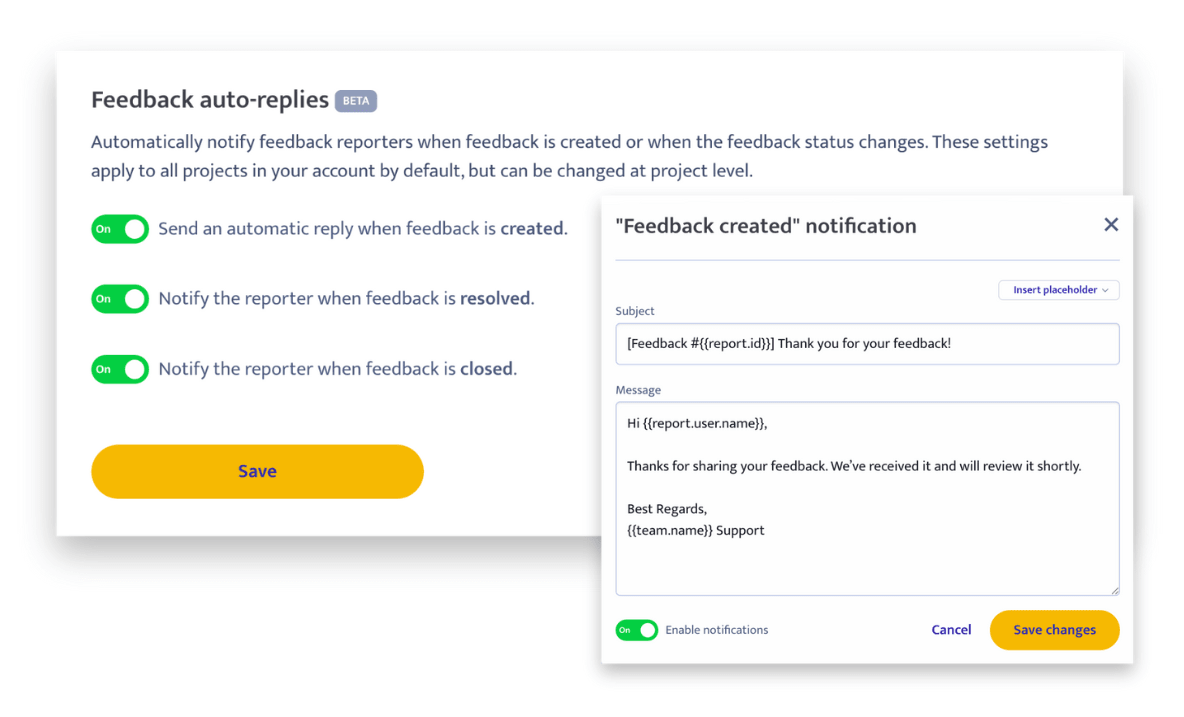
With Automated Updates, Ybug handles the standard communication for you. You can configure automated emails to the Reporter whenever a feedback item’s status changes.
You can set up specific emails for:
- Feedback creation: An automatic confirmation (e.g., "Thanks for your feedback! We’ve received it and we’ll take a look.").
- Status change to Resolved: Notifying the Reporter that the issue has been fixed.
- Status change to Closed: Confirming the ticket is completely handled.
You can customize the subject and body of each email and include variables like the feedback title, text, and Reporter name. These settings can be configured globally for your Team or adjusted on a per-project basis.
Part 2: Public, two-way conversations
While automated updates are practical for standard notifications, sometimes you need to ask the Reporter for more information or give them a specific update. Before, this meant copying the feedback details and emailing them outside the system.
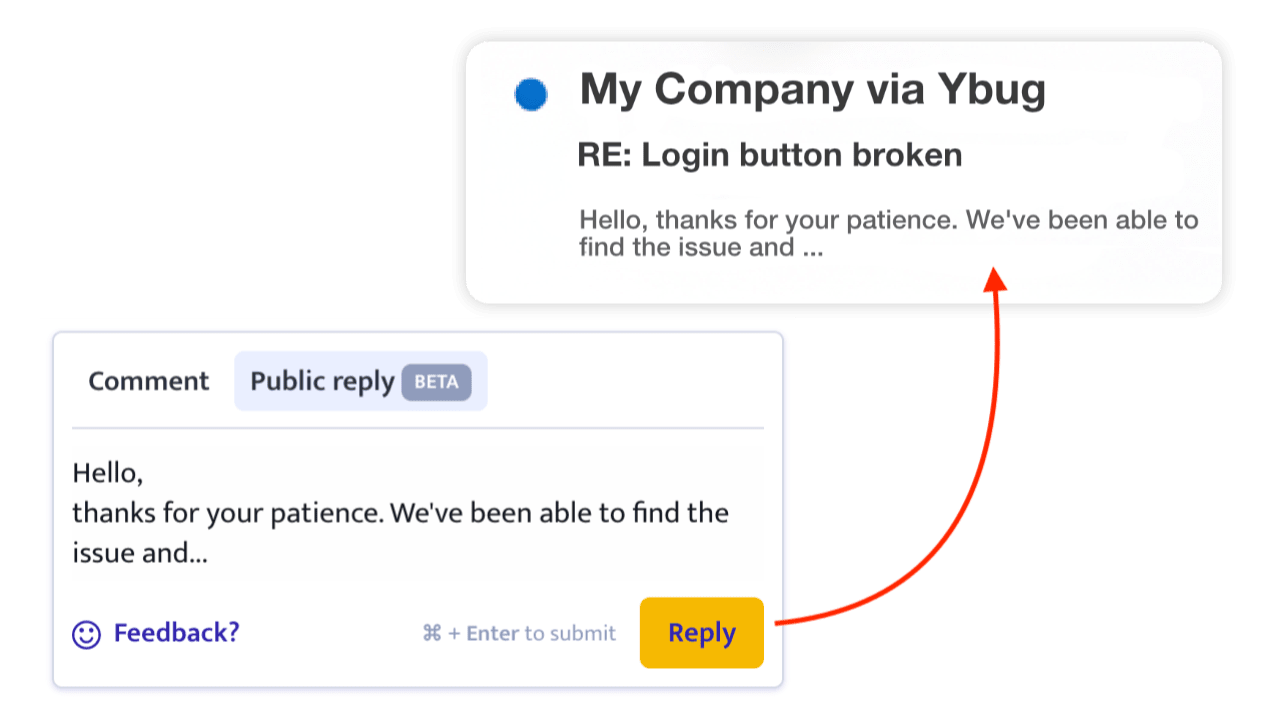
Now, directly within the feedback thread, you can write a Public reply.
- This reply goes straight to the Reporter’s email inbox.
- The best part? If the Reporter replies to that email, their message is automatically pulled back into the Ybug thread, instantly updating your team.
This turns every piece of feedback into a simple, two-way support thread, similar to what you’d find in a basic helpdesk system. Project members and watchers get notified of new Reporter responses, keeping everyone on the same page without leaving your Ybug workflow.
This feature saves time, eliminates the manual back-and-forth email process, and builds better trust with your users. When a user sees their reported bug move from "Open" to "Resolved" and gets a personalized notification, they know their input is valued.
Start closing the loop today
We're really excited about the efficiency boost this gives your team and the improved experience for your users. If you're ready to improve user satisfaction and streamline your communications: This feature is now live for all STARTUP and COMPANY plan users. Head over to your project settings and start customizing your auto-replies.
We’re curious to hear how this changes your workflow!
